Solution contains packages with vulnerabilities
Sometimes, especially when using an older version of Stride, you might notice warnings in Visual Studio that look like this:
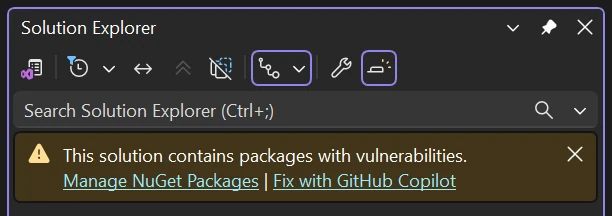
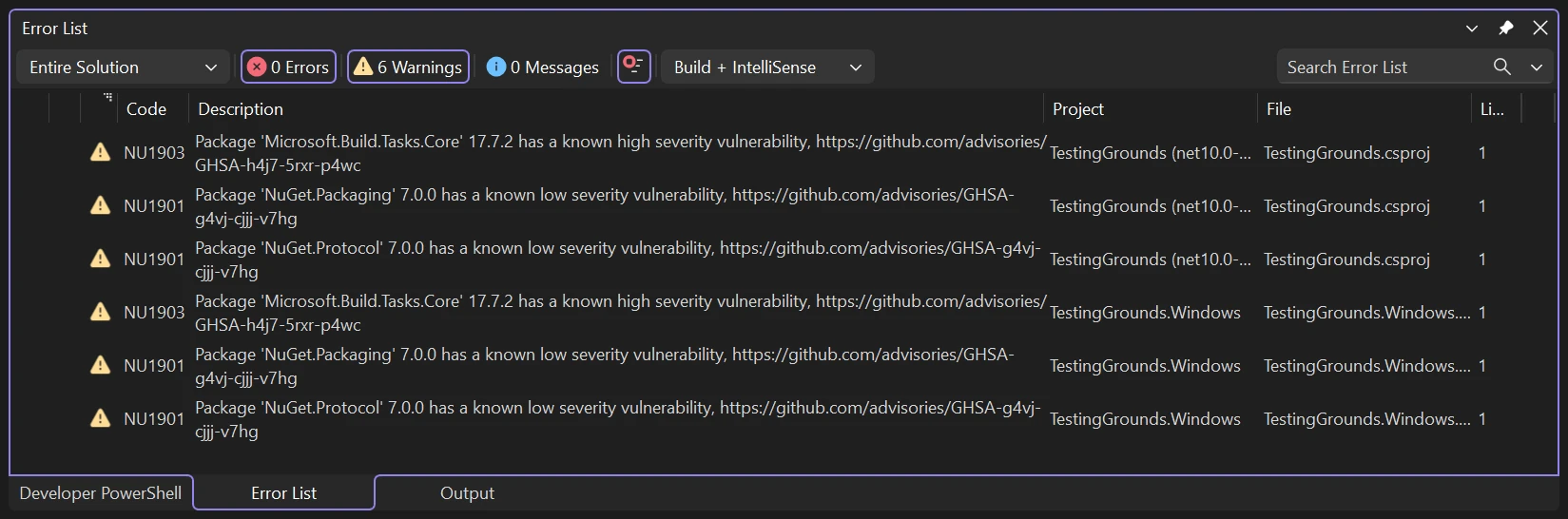
...or when building your project:
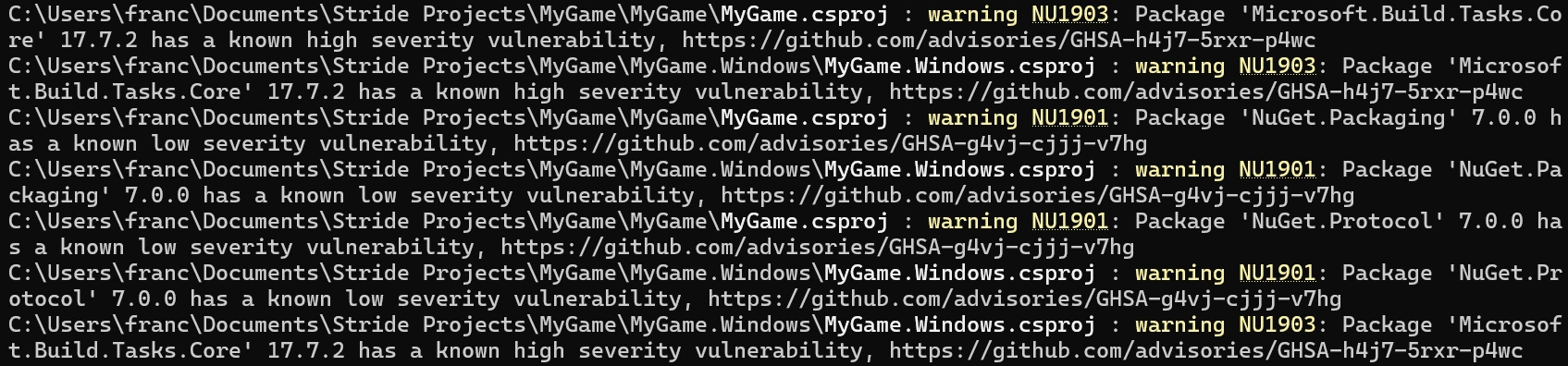
What does it mean?
This means that one of the external packages your project is using has been marked as vulnerable and could be exploited by bad actors in your released game.
Why does it happen?
Stride depends on other libraries in order to work and sometimes, those libraries are marked as vulnerable on nuget.org.
How to fix it?
- Update your project to the latest version of Stride. See Update Stride.
- Check in the engine's source code if the warning is limited to Game Studio, in which case it can be safely ignored.
- Ignore the warning while you work on your game and wait for the next release of the engine.
This warning does not impact your ability to develop and build. You are still able to use the editor, test your game and even release it (see the note below).
Note
If you want to release a game with vulnerable packages, make sure to check how the vulnerability would impact your users and decide if the warnings can be ignored. If you can't wait, you will have to replace the problematic dependencies in the source and rebuild the engine.