Tags
Beginner
Assets can be tagged to help with organization and assigning them to asset bundles.
Tags aren't available at runtime. They are only used as a tool in Game Studio and during compilation in asset bundles.
Add or remove a tag
An asset's tags are displayed at the top of the Property grid.
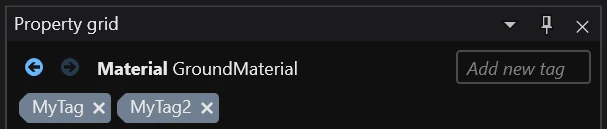
You can remove a tag by clicking 🗙 and add a new one in the Add a new tag box.